


Your sales team is drowning in data scattered across disconnected systems. Customer information lives in email, payment records sit elsewhere, and nobody has a complete picture of what’s actually happening with each deal.
Sales Cloud data integration fixes this. When you connect your payment history, communication records, and market data directly into Salesforce, your team suddenly sees the full customer story. Better visibility means faster decisions and shorter sales cycles.
Why Integration Breaks the Data Trap
The average company loses about 12.9 million dollars annually due to poor data quality, according to Gartner-informed analyses. That’s not a rounding error-that’s money evaporating because your sales team can’t see what’s actually happening with each customer. When payment data lives in one system, communication records in another, and opportunity details in a third, your team spends hours reconciling information instead of closing deals.
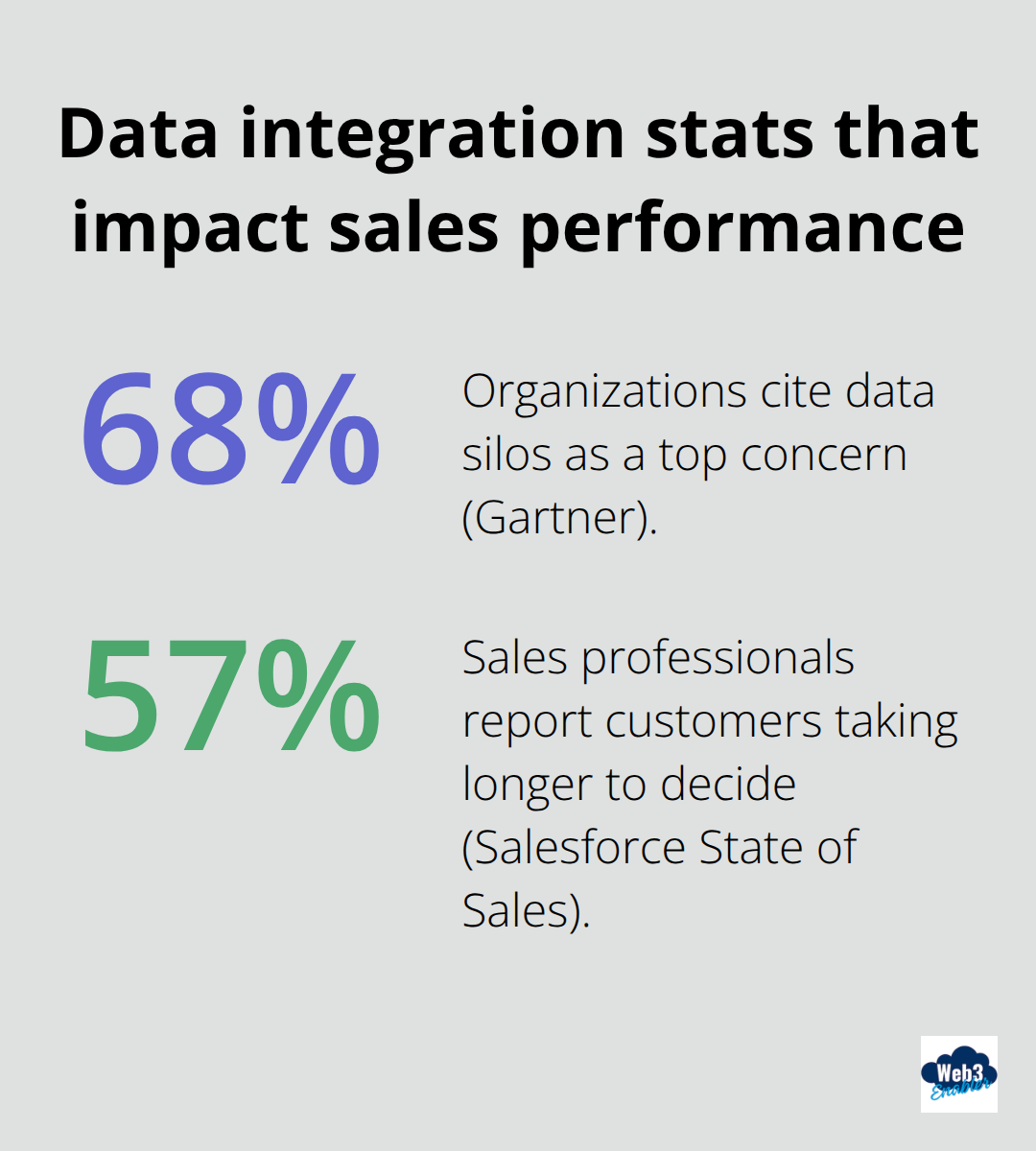
Gartner also reports that 68% of organizations cite data silos as a top concern, and for good reason. Your sales reps waste time searching for context, making decisions on incomplete information, and chasing deals that look promising in Sales Cloud but are actually stalled in your payment or fulfillment systems. Real-time data integration solves this immediately.
Connect Everything Your Team Needs to See
When you connect payment history, communication records, and behavioral data directly into Sales Cloud, your team stops guessing and starts knowing exactly where each deal stands. A rep can see that a prospect paid an invoice on time, engaged with three emails last week, and visited your pricing page yesterday-all without leaving Sales Cloud. That visibility cuts decision-making time dramatically and eliminates the reconciliation nightmare entirely.
Faster Decisions, Shorter Sales Cycles
Real-time data feeds into Sales Cloud mean your reps see changes the moment they happen. Salesforce’s State of Sales Report found that 57% of sales professionals say customers take longer to decide than before, making speed and context critical advantages. When payment data syncs in real time, your team spots payment problems before they become relationship issues. When communication records update instantly, reps know exactly which messages resonated with a prospect. When transaction history flows into opportunity records automatically, your team spots upsell and cross-sell opportunities that would otherwise be invisible.
Organizations that implement unified data integration see measurable improvements in deal velocity and win rates because their teams operate on current information, not stale snapshots. This isn’t theoretical-it’s the difference between reacting to what happened yesterday and responding to what’s happening right now.
Retention Wins Through Unified Customer Insights
Unified customer data directly improves retention and lifetime value. When your sales, finance, and operations teams all see the same customer picture in Sales Cloud, you stop sending conflicting messages and start delivering consistent experiences. A customer who just made a large payment shouldn’t receive a collections notice; a long-term client with predictable behavior patterns deserves proactive outreach before renewal season arrives.
Integration enables these intelligent, context-aware interactions automatically. Your team can segment customers based on actual payment behavior, communication patterns, and transaction history instead of guesses. That precision targeting reduces churn because customers feel understood, not treated as generic leads in a batch campaign. When retention improves, your average customer lifetime value increases substantially-making the integration investment pay for itself many times over.
Where Your Data Actually Lives
Most organizations store critical customer information across multiple platforms. Payment systems track transactions separately from communication tools, which operate independently from your CRM. This fragmentation forces your team to manually piece together the customer story, introducing delays and errors that compound across the sales cycle. Connecting these sources directly into Sales Cloud creates a single source of truth where your reps access complete customer context instantly. The next section explores which data sources matter most and how to prioritize your integration roadmap.
Key Data Sources to Integrate with Sales Cloud
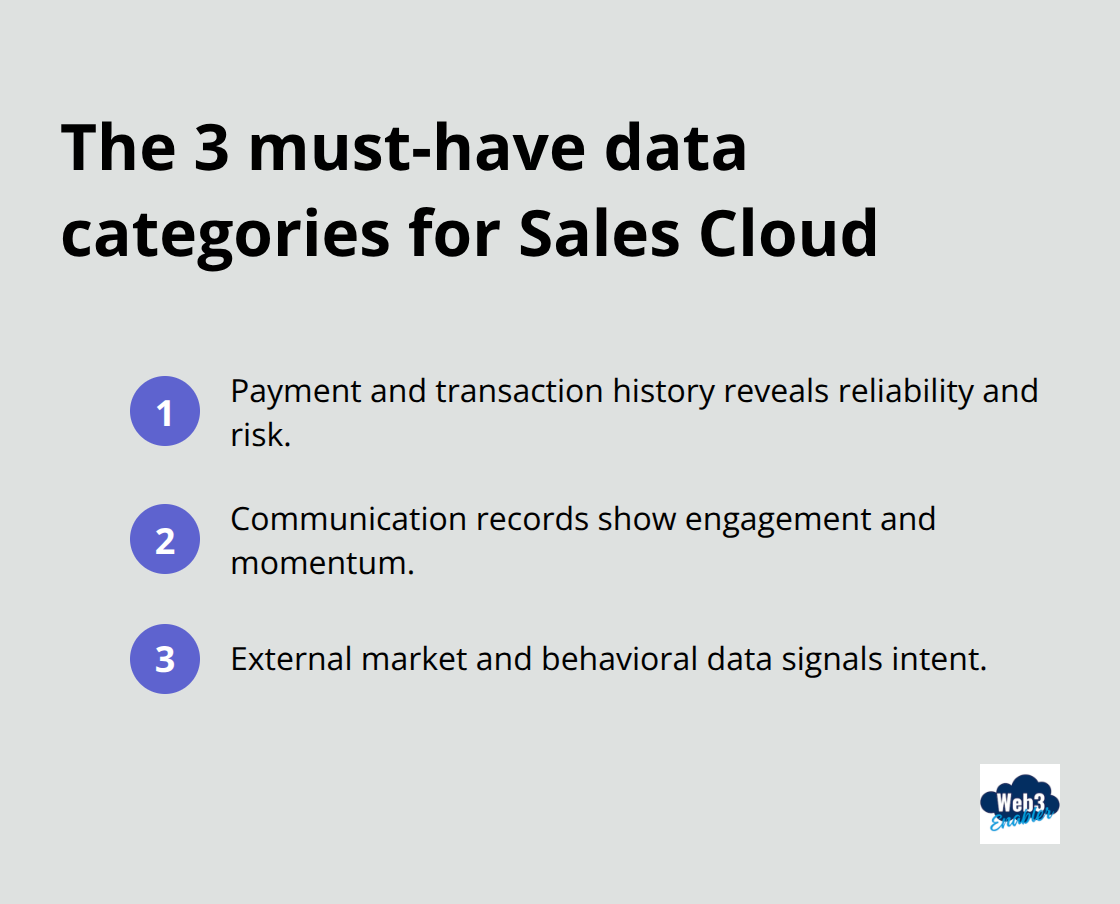
Your sales team needs three categories of data flowing into Sales Cloud to see the complete customer picture. Payment and transaction history shows you who paid, when they paid, and whether they honor commitments on time. Communication records reveal which messages resonated, how engaged prospects actually are, and where conversations stalled. External market and behavioral data tells you what happens outside your walls-whether a prospect visited your pricing page, attended a webinar, or showed buying intent signals that your team might otherwise miss entirely.
Payment Data Reveals Hidden Deal Risks and Opportunities
Payment history is non-negotiable for accurate sales forecasting and customer health assessment. When transaction data syncs into Sales Cloud in real time, your reps see immediately whether a customer paid their last invoice on time or is sliding into arrears. That single data point changes everything about how your team should approach the next conversation.
A customer with a pattern of late payments needs different handling than one with perfect payment history, yet most sales teams make renewal and upsell decisions without ever seeing this information. Gartner research shows that 68% of organizations struggle with data silos, and payment data sitting outside Sales Cloud is exactly why. Your team should prioritize syncing account balance, payment dates, transaction amounts, and payment method data directly into opportunity and account records.
When a rep sees that a prospect paid a recent invoice on time, that becomes a stronger qualification signal than any lead score. Additionally, payment patterns help your team spot cross-sell opportunities automatically. A customer whose transaction volume jumped 40% last quarter signals growth and appetite for additional services-but only if that data reaches your reps’ view of the account.
Communication Records Create the Context Your Team Needs to Close Faster
Email opens, clicks, and engagement patterns matter because they show genuine buyer interest, not just activity. Your sales team should see when a prospect opened your proposal email, clicked through to your demo link, and spent time on specific sections-all within Sales Cloud without switching to another platform.
Salesforce’s State of Sales Report found that 57% of sales professionals report customers taking longer to decide, which means your team cannot afford to miss any signal that shows forward momentum. Communication records should include timestamps of email opens and clicks, meeting attendance, content downloads, and response patterns. When a prospect who ignored your emails suddenly opens three messages in two days and clicks through to your case studies, that timing signal should trigger immediate outreach.
Your reps need this context automatically surfaced in opportunity records so they can personalize their next conversation around the specific content that caught the prospect’s attention. The difference between a rep who knows a prospect opened the pricing page and one who doesn’t is often the difference between a lost deal and a closed one.
Behavioral and Market Data Completes the Customer Intelligence Picture
External data sources-website visits, event attendance, industry news, competitive mentions, and intent signals-round out the unified view that drives faster decisions. When your sales team sees that a prospect visited your pricing page three times in the last week while simultaneously reading articles about supply chain automation, that convergence of signals means they actively evaluate solutions.
That actionable intelligence should trigger a conversation within 24 hours, not next month. Your team should prioritize integrating website behavior, event registration data, and third-party intent signals directly into Sales Cloud. Companies that fail to connect this data force their reps to rely on guesswork about whether a prospect is actually interested or just browsing. The cost of that gap is real-missed opportunities, longer sales cycles, and deals lost to competitors who moved faster.
The next section walks through the practical steps that transform these data sources into a working integration strategy, starting with how to choose which sources matter most for your specific business.
How to Start Your Integration Without Getting Stuck
Pick One Data Source and Master It First
The biggest mistake companies make when integrating Sales Cloud data is trying to connect everything at once. Your finance team wants payment data synced in real time, your marketing team needs communication records flowing instantly, and your operations team demands inventory visibility. That urgency is understandable, but attempting a massive integration across all systems simultaneously guarantees delays, poor data quality, and teams blaming each other when things break.
Start narrow instead. Pick one data source that directly impacts your sales team’s ability to close deals faster-usually payment history or communication records-and get that working flawlessly before expanding. This focused approach lets you establish proper data governance, test your sync frequency, and validate that field mappings actually match how your team works. Once that first integration runs smoothly for 30 days with zero data errors, you’ve built confidence and institutional knowledge to add the next source.
Companies that follow this phased approach report implementation timelines compressed from months to weeks, according to iPaaS adoption data showing pre-configured solutions with built-in connectors accelerate go-live significantly.
Lock In Your Governance Framework Before Syncing Anything
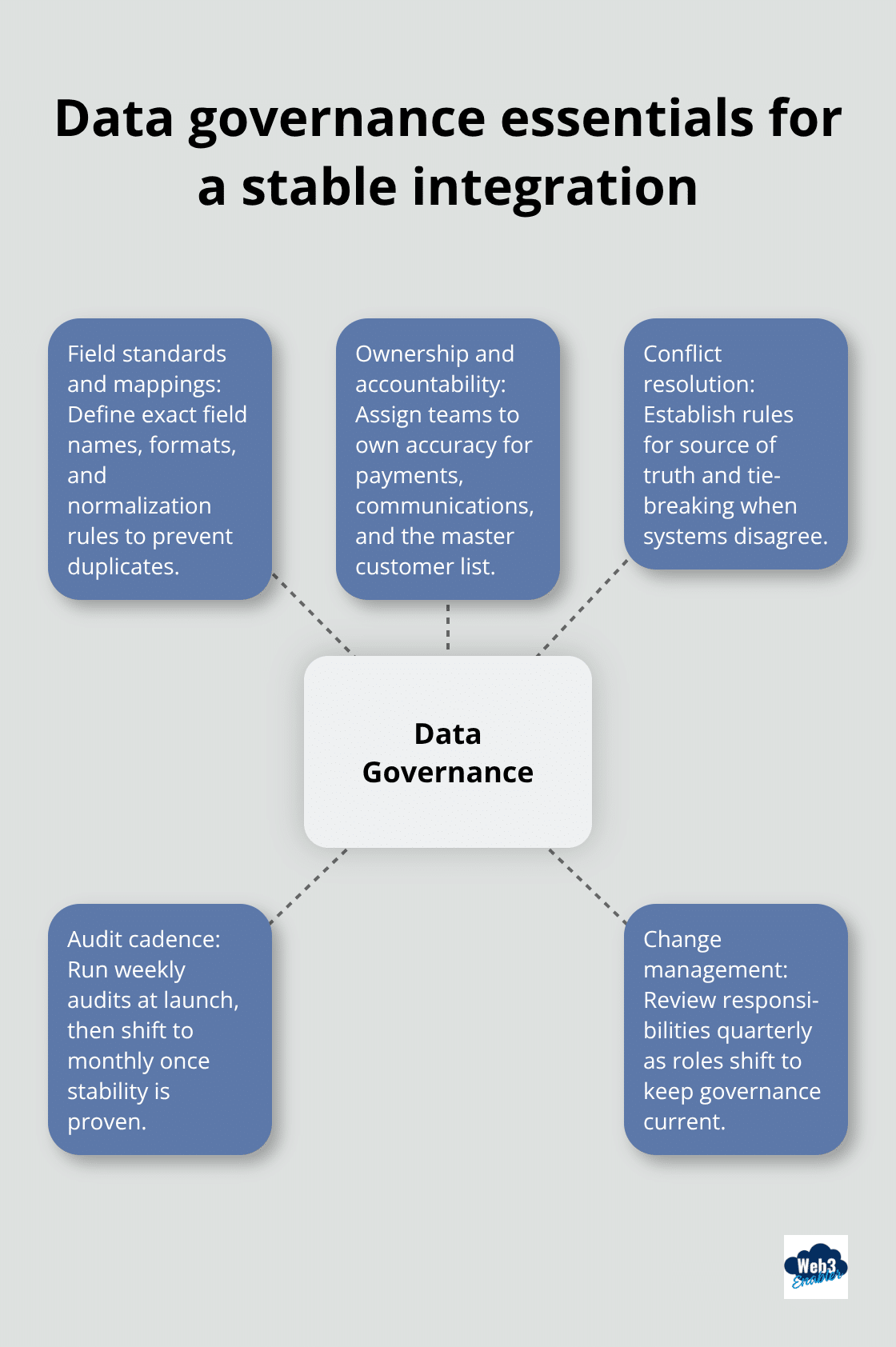
Your governance framework must be established before you sync anything. Define exactly which fields transfer between systems, who owns each data element if conflicts arise, and what data format standards apply. Misaligned field definitions are the leading cause of dirty data in integrated systems-a prospect’s company name might be stored as Organization in one system and Account Name in another, creating duplicate records that confuse your team.
Assign clear ownership for each data element: your finance team owns payment data accuracy, your marketing team owns communication records, and your sales operations team governs the master customer list. Document these responsibilities explicitly and review them quarterly because data ownership often drifts over time as people change roles. Most organizations underestimate how much manual governance work integration requires initially. Plan for weekly audits during the first month, then drop to monthly reviews once stability is proven.
Automate Data Movement to Eliminate Manual Work
Automation transforms integration from a project into a sustainable operation. Stop syncing data on a fixed schedule-that approach leaves your team working with yesterday’s information, which defeats the entire purpose of integration. Real-time data integration moves data the moment it changes in the source system. A payment posts in your accounting system, and that transaction appears in Sales Cloud within minutes, not hours. A prospect opens an email, and that engagement signal updates in their opportunity record immediately.
This real-time approach requires more infrastructure planning than batch synchronization, but the payoff is enormous: your team sees current information and reacts accordingly instead of discovering stale data that no longer reflects reality. Automation also means eliminating manual data entry and reconciliation work. If your team currently spends any time manually copying information between systems, that’s time being wasted on work that automation should handle. Calculate how many hours per week your team spends on manual data work-most organizations are shocked by this number-and use that to justify investment in proper integration infrastructure. That freed-up time converts directly to more deals reviewed, more prospects contacted, and more time spent on closing instead of chasing data.
Final Thoughts
Sales Cloud data integration transforms how your team operates by replacing fragmented information with a unified view of every customer. When payment history, communication records, and behavioral data flow directly into Salesforce, your reps stop wasting time searching for context and start closing deals faster. The financial impact arrives immediately: companies implementing unified data integration see measurable improvements in deal velocity, win rates, and customer retention because their teams operate on current information instead of guesses.
Start with identifying which single data source would have the biggest impact on your sales team’s ability to close deals this quarter, then build your integration roadmap around that priority. Establish your governance framework before syncing anything, assign clear data ownership, and commit to automation that eliminates manual reconciliation work. Most organizations compress their implementation timeline from months to weeks by starting narrow and expanding methodically once the first integration proves stable.
The companies winning in today’s sales environment are those whose teams see the complete customer picture instantly. If your organization handles cross-border payments or needs real-time visibility into transaction data for faster reconciliation, Web3 Enabler provides native blockchain-powered payment integration directly within Salesforce, enabling your finance and sales teams to collaborate seamlessly on global settlements and on-chain transaction visibility without leaving your CRM.
To help your Sales Cloud guide rank for 2026 AI Overviews and provide a seamless experience for your WordPress site, I have formatted the FAQ with an H2 title and H3 questions.
This content highlights the shift toward Data Unified Clouds and the impact of the 2025 AI Data Act on CRM transparency.
FAQ: Sales Cloud Data Integration
How does data integration shorten the sales cycle in 2026?
By connecting payment history and communication records directly into Sales Cloud, reps no longer have to “hunt” for context across different departments. Having a 360-degree view allows for instant qualification—for example, seeing a real-time payment confirmation can trigger the next stage of a deal automatically, reducing manual follow-up time by up to 40%.
What are the most critical data sources to sync with Salesforce?
For high-performing teams, the “Big Three” are Payment/Transaction History (to track customer health), Communication Engagement (email opens and clicks), and Intent Data (website behavior). Integrating these ensures your team reacts to what is happening now, rather than relying on stale snapshots from last week.
How does unified data improve customer retention?
Data silos are a primary cause of “customer friction.” When sales, finance, and support see the same record, you avoid embarrassing errors—like sending a collections notice to a client who just settled their invoice via USDC. Unified insights allow for proactive renewals and personalized outreach based on actual usage and payment patterns.
Should we use “Batch” or “Real-Time” synchronization?
In 2026, batch syncing is considered legacy. Real-time integration is the standard because it allows for Event-Driven Sales. When a payment posts or a prospect visits a pricing page, the record in Sales Cloud updates within seconds, allowing your team to strike while the iron is hot.
How do we prevent “Dirty Data” during the integration process?
The best practice is to establish a Governance Framework before the first sync. This involves mapping fields clearly (e.g., ensuring “Account Name” in Salesforce matches “Organization” in your payment gate) and assigning “Data Owners.” For example, Finance should own the accuracy of payment fields, while Sales owns the contact data.